Home » Archive

Articles in the Additional Resources Category

Additional Resources, Integration »

[6 Dec 2011 | No Comment | ]

Depending on your situation you may need to be able to create a member account using a HTTP GET or POST request. WP eMember plugin has an API that allows you to create a member account using a standard HTTP GET or POST request. If you want to use this API then you need to enable it from the settings menu of the plugin first. The following is a screenshot of this section in the settings menu:

Once you enable it, you can start to send HTTP request to the following …

Additional Resources »

[27 Oct 2011 | No Comment | ]

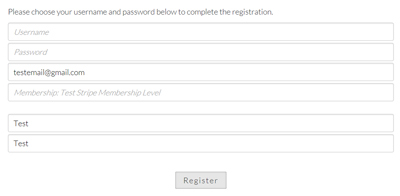
WP eMember uses ONE registration form for all kinds of membership registration. This way you don’t have to create multiple pages with different registration forms and confuse your customers. eMember’s registration form is smart enough to know what type of membership level a customer is trying to create based on the prior action this user has taken. For example, if a customer paid for “Gold” membership level then when this user clicks on the unique registration link sent to him via email the eMember plugin will know that this customer …

Additional Resources »

[15 Sep 2011 | 4 Comments | ]

Does this plugin work with the latest version of WordPress?

Yes, all of our plugins work with the latest version of WordPress.

Are there any ongoing fees for WP eMember plugin?

No, the WP eMember plugin is a one time purchase software.

Why buy a premium WordPress plugin?

See the why buy a premium WordPress plugin page.

Does this product integrate with WordPress’s user system?

Yes, the WP eMember can create a WordPress user login with the same details as the membership when the customer registers.

How does the member get the registration link after a purchase is made?

The …

Additional Resources »

[15 Aug 2010 | 2 Comments | ]

If you are a developer and want to customize the code or if you want to add conditions around your content (can be useful when you want to protect content that you added to your theme’s template file) then here are a few code examples that might be of some help:
Find out if a member is logged in or not
You can use the following function call to determine if a member is logged in or not. The following function call will return true if a member is logged in (otherwise it …

Additional Resources »

[14 Aug 2010 | 7 Comments | ]

You can use the WP CSV to DB plugin to upload member details from a CSV file into the WP eMember’s database.
Before you use this method please note that if you want to import your WordPress users into eMember then there is an easier option for you. Simply browse to the “Import WP Users” tab from the “Members” menu and you will be able to import all your WordPress users into eMember.
Setup/Preparation

Install the WP CSV to DB plugin.
Download the members.csv template file and open it using Microsoft Excel.
Fill up the …

Additional Resources »

[30 Apr 2010 | 62 Comments | ]

Below is a list of the main features of the WP eMember Plugin:
Content Protection

Ability to selectively protect the posts, pages, categories and comments
Selectively protect full or section of a post or page.
Ability to set protection settings for posts and pages in bulk from eMember’s dashboard or set the protection of a particular WordPress post or page while editing/creating it in the editor
Teaser content – Ability to use “more” tag protection to create teaser content
Secure RSS feeds - Secure RSS feeds allow your members to view their membership material in their RSS …

Additional Resources »

[25 Dec 2009 | 49 Comments | ]

WP eMember was designed in a way so you as the admin have some customization freedom as to how the membership registration flows.
It is a good idea to read this post first and make up you mind on how you want your registration process to flow before you start setting eMember up.
If you are not sure about the difference between a “Join Us” page and a “Registration” page then please read this post first.
The member registration flow is the same for signing up for any type of membership except the free …