Occasionally, you may require a list of email addresses belonging to your members for the purpose of sending bulk emails such as offers and promotions. WP eMember plugin facilitates this task by allowing you to obtain a comma-separated email list, which can be easily copied and pasted into your email campaign management software.
Step 1) Click on the “Members” menu from the “WP eMember” admin dashboard.
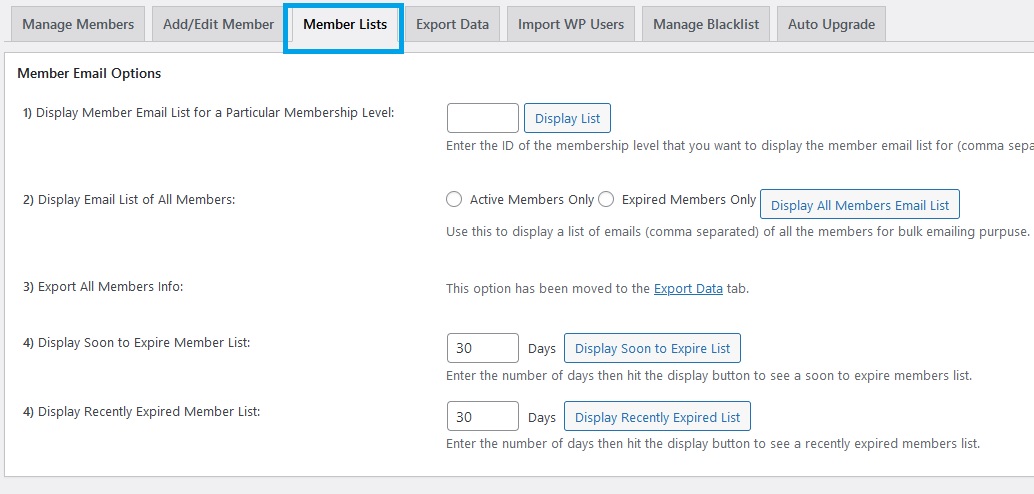
Step 2) Click on the “Member Lists” tab
Step 3) From this menu, you have the option to get the email list of all your members or for members from a particular membership level.
how about infusionsoft 🙂 you’ve already got it in the eStore plugin…
You can import all the member emails into your MailChimp list.
what about mail chimp?
Yep
Are there any plans for direct Aweber integration?