You can use a compact login form if you want to display an “one line login and join us” message anywhere on your membership site. When a member logs in, it will display the name of the logged-in member and an option to logout.
For example, I have placed this compact login form on the header of my theme and it looks like the following to an anonymous visitor:
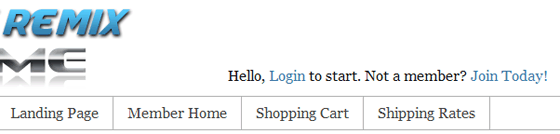
Compact Login Form Display (when not logged-in)
When a member logs into the site, it looks like the following to that user:
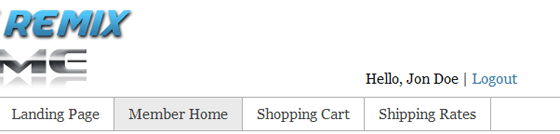
Compact Login Form Display (when logged-in)
How to Use the Compact Login Form?
You can use the following shortcode if you are placing it on a post or page:
[wp_eMember_compact_login]
If you are placing this on your theme’s template file then use the following PHP fuction where you want it to appear (example: header.php, footer.php etc):
<?php echo eMember_compact_login_widget(); ?>
Adding the Compact Login Form to the Sidebar
Here is how you can add the compact login form to your site’s sidebar widget:
#1) Add a standard text widget to your sidebar (where you want to show the compact login form).
#2) Use the following shortcode in the text widget:
[wp_eMember_compact_login]
#3) Save the widget.
@Mark, You can use the shortcode to add the compact login widget anywhere you want on your site. The shortcode will work on posts, pages and sidebar text widget.
It looks like your compact login is built into the header. For some reason I don’t have access to Appearance > Editor to tweak the header.php file. How can I add the compact widget on my site without having to add as code in my page template? I’d like to add it above the menu items rather than below.
Hi, I have a solution to remove the Hello… text.
Just add this code to your Header.php file.
<a href=”http://members.easywritingwork.com/?event=logout” rel=”nofollow”>Logout</a> | <a href=”/my-account/” rel=”nofollow”>My Account</a>
<a href=”/member-login/” rel=”nofollow”>Login</a> | <a href=”/join-us/” rel=”nofollow”>Sign Up</a>
Just wrap it in a div to position and style as you choose.
I placed this at the end of my code in the Header.php file.
Hope this works for you.
Greg
Hi, The following forum post will explain how to customize text and messages that are displayed by the plugin.
http://www.tipsandtricks-hq.com/forum/topic/how-to-customize-various-textmessages-displayed-by-the-plugin
Let me know if you do not find the text you are looking for in this file.
Is there a way to change the text for this? I’d rather it just say Hello, login, and nothing about joining.
Please post a link to the page where you have this link so I can check the CSS and provide suggestions.
Hi
I have a website with a Black background and always have trouble with Plugins and have to change the CSS code frequently. I have set up eMember and have managed to change most of the color codes but I cannot figure out how to change this part – “Please Login to view this Content.(Not a member? Join Today!)” Only the links stand out. I also want to change the font family.
Can you help please.
Regards,
You just need to place the following line (it’s specified in this post). Just copy and paste the following line:
<?php echo eMember_compact_login_widget(); ?>
Sorry, I need more help. I have found the Theme functions (functions.php) file and beneath that a Documentation list but now totally confused. What exactly do I need to do to define the function and from what documentation can I copy and paste the function name and paste it where?
Many thanks
@Simon, You have an error in the “function name”. The correct function name is the following (it’s case sensitive):
eMember_compact_login_widget()
You can copy and paste the function name from the documentation.
Nope, installed latest version as suggested but still get message Fatal error: Call to undefined function emember_compact_login_widget() in /home/propnorg/public_html/blog/wp-content/themes/tubular-86542/tubular_10/header.php on line 60 when I try to insert
in the header.
All the CSS style for this pluing is stored in a file called “eMember_style.css” inside the “wp-eMember” directory. So you just have to modify that file to customize the look of the login form.
Is there a list of the css calls to customize the look of things such as the login form?
I am using the standard login form, but want to be able to style each element within, I can inspect with firebug but not sure of the string to use.
For example if I wanted to customize
What would I write for the css in my theme?
You just need an updated version of the membership plugin. This post will help you with the update:
http://www.tipsandtricks-hq.com/forum/topic/how-and-when-do-you-get-an-update
when I try to use the compact php function in the alt-header, it tells me it’s an undefinded function. What do I need to do?