
The Category Specific RSS feed subscription WordPress Plugin allows you to add a menu with multiple RSS feed subscription option to your site in addition to the normal RSS subscription option. The category specific RSS feed menu can be added to a post, page or sidebar. Through this menu your visitors will be able to subscribe to the RSS feed of a specific topic/category of your blog that particularly interest them.
You can also create a tag specific RSS feed menu or a tag rss feed cloud using a shortcode.

Why use category specific RSS subscription?
The reason is very simple… you don’t want to be served with Meat when you are a Vegetarian! If your site covers multiple topics then your subscribed readers may get annoyed when you update your site with content that they are not interested in and they get a notification in their RSS reader. With category specific RSS subscription option, your readers can choose which topic they want to subscribe to and will only get notified when you update/add content to your site with that specific topic.
Apart from the Search Engine Optimization (SEO) advantage, this is a much more neat and clean RSS subscription option. Most of the time, your visitors will not subscribe to your RSS feed if they can not choose a topic/category specific subscription, specially when your site covers multiple topics which are not related.
Category Specific RSS Plugin Installation
- Go to the Add New plugins screen in your WordPress admin area
- Click the upload tab
- Browse for the plugin file (Category-specific-rss-wp.zip) then hit the “install” button.
- Activate the plugin through the ‘Plugins’ menu in WordPress.
- Go to Settings and configure the options. Example: your category names and RSS link of the specific topic.
- Optionally, go to the Widgets menu and add the ‘Category Specific RSS’ widget to the sidebar or add the shortcode to a post or page where u want the RSS feed widget to appear.
Category Specific RSS Plugin Usage
There are three ways you can use this plugin:
- Add the Category Specific RSS Widget to your sidebar from the Widget menu.
- Add the shortcode [category_specific_rss_menu] to your WordPress posts or pages.
- Call the function from template files: <?php echo show_cat_specific_rss_menu(); ?>
- Use the [tag_specific_rss_menu] shortcode to your posts, pages, sidebar widget to add a tag specific rss feed menu
- Use the [tag_specific_rss_cloud] shortcode to your posts, pages, sidebar widget to add a tag cloud with rss feed of each tag
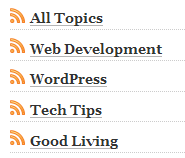
Plugin Screenshot
Download Latest Version
Download the Category Specific RSS plugin.
Plugin Compatibility
Works with the latest version of WordPress.
Plugin Requires
Requires WordPress 3.0 or higher.
Additional Documentation
Display category specific RSS for all categories
To show a list of all categories and a RSS feed for each of them simply check the ‘Show Category RSS for All Categories’ option from the settings menu.

You can also toggle the display of the current count of posts in each category from the settings menu of the plugin.
Changing the default RSS image
To change the default RSS image simply overwrite the ‘rss_small_icon.png’ image in the plugin directory with the image that you want to use
Why doesn’t the Plugin Give an RSS feed?
One thing to keep in mind is that the ‘Category Specific RSS’ plugin won’t be able to give you an RSS feed if you are using the default dynamic URL structure (eg. ?cat=7 or ?p=127 etc.)
Change your permalink structure to fancy permalink (eg. www.yourdomain.com/title-of-your-post instead of www.yourdomain.com/?p=12)
You should be using fancy permalink for Search Engine Optimization too (read the following post when you get some time )
Search engine optimization tips for WordPress blog
Change your Permalink structure from the Settings->Permalinks menu (choose anything but the default one and then the feed will work fine).
Check out the list of Best WordPress Plugins to find out what other plugins you should be using.
The settings option for this plugin can be found under the “Settings” option of WordPress. So look for “Settings” -> “Category Specific RSS”
Yes you can change the widget title from the settings.
first, i do not have a settings option available to me inside wordpress, for editing the plugin or making changes.
is this because it did not pay for it? i am willing to pay in order to be able to make changes.
first question/change: i want to change the name of the title of the widget. i don’t want it to say “category specific rss”. i want to say categories and rss” or something else. how do i do it? thank you.
@Eric, This plugin do not control the timing of the delivery. It just controls the categorization of the RSS feed.
@Ism, I am not sure I understand your question.
hi there,
nice plugin and very useful
but the RSS link are writen that way ; http://example.com/categorie/secteurs/feed/
by me, it shoud be http://example.com/categorie/secteurs/feed/rss/
how can I fix it ?
thanks in advance
I LOVE LOVE LOVE this plug in. Our only concern is timing. We run an Investment Firm and we do trade alerts that are very time sensitive. The fastest we can publish a newsletter and get it to people is 10minutes. Is there any way to speed up the delivery for our publications?
Great app. Congrats!
ERIC
Nifty plug-in, this’ll be useful for many of my clients. As a matter of fact, I’ll be recommending it to a number of my favorite blogs, as I don’t always want all of their RSS topics, just some of them.
Thank you very much for your excellent plugin! It worked like a charm!
You can create feedburner feeds for your different category and use them with this plugin
This is exactly what I was looking for! I have a site with diverse categories, but I use Feedburner for analytical/statistical purposes. Is there a way to leverage Feedburner with your plugin?
Thank you! I just realized today we needed a categorized feed for our company web log and this does the trick. Very much appreciated.
@Zach, When I got to your site and click on the category feeds I can see the feed fine. What issue do you get?
My feeds aren’t working on my website…..don’t know why
@Joel, that is a bit strange. Do you get page not found for the image or the category or the whole page where the widget is embedded?
Odd thing happening. I upgraded the blog to 3.x, and my theme as well. Now when image is on left, I get “page not found” error. If RSS image is on right, everything works fine–switch it back to left, all category links broken again.
Ruhul, I am a huge fan of yours. Always using your plugins (eStore, eMember, Affiliate) and loving them.
I have yet to load this one, but want to say, although I agree that a plug-in without your tagline and link at the bottom would be nice, I totally understand the reasons for your tag line and link.
its called MARKETING people! Wake up, you are getting a serious kick butt RSS plug-in for free and increasing your potential to make money, share your message and grow your network.
I can’t wait to get this working to my advantage on my sites. Thanks Ruhul, you are always a pro.
This is exactly what I was looking for, thanks!
Hint: it doesn’t work when a user defined name is used for the categories in permalink settings.
Yes you can place your category specific rss in a post or page too. Simply use the following shortcode on your post or page:
[category_specific_rss_menu]
Hi, just wondering if its possible you could add a page option. A bit like ezinearticles where it lists the category feeds in a page. That would be a great option. 🙂
you can use a select input field so show the categories in a dropdown.
I have lots of categories and would like to have the feeds in a drop down. How would I alter the code for that?
Thank you for the quick response.
@Karen, Please check the checkbox that says “Show Category RSS for All Categories” and you don’t have to worry about the 8 custom categories that you can setup RSS for.
Just downloaded latest version 1.5 and it still shows just 8 categories. Am I missing something? Thank you ahead of time.
@Joel, fixed this issue in v1.5 (please download it from this page)
I’m delighted to have v.1.4 and like the image on the left. Not sure if this is a glitch, but when I try to uncheck the show post count box, I get the post counts don’t go away…maybe a page caching issue. I’ll keep investigating. Sorry if this is just user error.
-JG
@Chris, There is no option to not show the RSS icon (without the icons how can the plugin link to your RSS feed?)
You may have unchecked the “Show RSS Feed Image on the Left” option. This option is only to determine if the icon should be displayed on the left side of the category name or right side.
Although I have disabled the option to show the rss icon ( I don’t want to show it), it is shown 🙁
@Rich, I don’t know of any way to show a teaser for category.
Hi – just been playing with your plugin – is there any way to add a teaser to each RSS feed as it only produces the title of each piece – or is this pilot error on my part?!
Thanks
Rich
The new version is definitely up here as I just tested it. I have a feeling your browser may be serving you a cached version if you have already downloaded this a few days ago from here (the URL is exactly the same so it’s a possibility). Please try the following link from a different browser:
https://www.tipsandtricks-hq.com/wp-content/uploads/plugins/category-specific-rss/Category-specific-rss-wp.zip
I will try to upload it on WordPress.org tonight too.
Thanks for working on this change–however, version 1.4 doesn’t seem to be on this site yet. The two download links still seem to point to a 1.3 version. we’ve installed them both, but see no difference yet in the widget or settings menu, nor in what version the plugin says it is. (the WP plugin page still shows v1.3 as well…thought we’d check just in case)
Again, thx for addressing this.
-JG
Hello
I followed your instructions above for downloading version 1.4 with the fixed option for displaying rss feed on the left side. When I activate the plugin it said it still was version 1.3 and there was no option to set the image on the left side.
Thank you
Jagbo
Hi Joel, I have been meaning to update this plugin and include the option to show the RSS feed image on the left.. just couldn’t make time for it.
Anyway, I have just updated the plugin. Please download v1.4 from this page and you should have an option to set the image on the left side (look in the settings menu of this plugin.
Hope this helps.
trying to get this working right on the blog..and it is, but our authors sometimes have long category names that wrap in the sidebar. It would help if we could display the rss image *before* the category name, (like you show in your sample images on this site…maybe an older version) Others have mentioned this same issue, and I diligently read the posts, but could not find your answer.
Some help would be much appreciated.
-JG
Sorry I just nade a post about an error please be advised its not your plugin it has to do with a plugin called feed wordpress thanks wayne
Hi I am trying to fit this to a website for a customer but are getting this error on the rss feed when I check it any ideas.
This page contains the following errors:
error on line 23 at column 42: EntityRef: expecting ‘;’
Below is a rendering of the page up to the first error.
I am testing it on the default template I can add a url but it is an adult site not sure if you would want that
Really good plugin, we used it extensively on our sites about tocar guitarra, and we’ve got very positive feedback from users.
Yeah you can use FeedBurner URL but you will have to create a FeedBurner for each category though.
Your plug in seems great.
But can I change the the category RSS url to FeedBurner URL?
I don’t want WordPress to use the default RSS url for the categories.
I want to use my own URL.
Please help.
Hi Victor, This plugin should work fine with ‘Day and name’ Permalink ‘structure.
Cheers,
Ivy
hi,
will this plugin work with ‘Day and name’ Permalink structure???
Hello,
Thx for this plugin..really help me a lot.
I found the problem, path to image was wrong, should be: category-specific-rss-feed-menu instead.
Hi Admin, when using the categorys setup by myself everything works perfect, except that the icon does not appear.
Thanks,
Esteve.
Thanks. Don’t know how I missed that. I do have another question. I would like for the RSS images to appear in front of my categories instead of after. I’m thinking I will have to change the code, which I am comfortable doing. I just need to know exactly which line of code needs changed.
luv the plugin, just what I was looking for. I am using it with WP 2.8.5 with a cat/post permalink structure just fine. I love the fact that it will show all cats. I will surely put it to the test, as I have over 2500 categories! I use it on my wp posting engine for all of my blogs, and each cat is a blog I run. Now I can grab a content feed off the front page of my engine w/o leaving the site. I can also create dev feeds on the fly and simply shoot them over to a new blog when I feel they are up to par. Thanks a lot.
@Kyle, please the see the reply above your comment.
When I attempt to access the Settings menu for this widget i get the following error: “You do not have sufficient permissions to access this page.” I have changed permissions for the php file with no success. Please advise.
@Frank, Yeah the link to the settings page from the widgets menu is out of sync. Please go to the settings menu of this plugin from the “Settings” menu of wordpress dashboard:
Settings->Category Specific RSS
Great post and the plugin is exactly what I’ve been looking for.
Thanks!