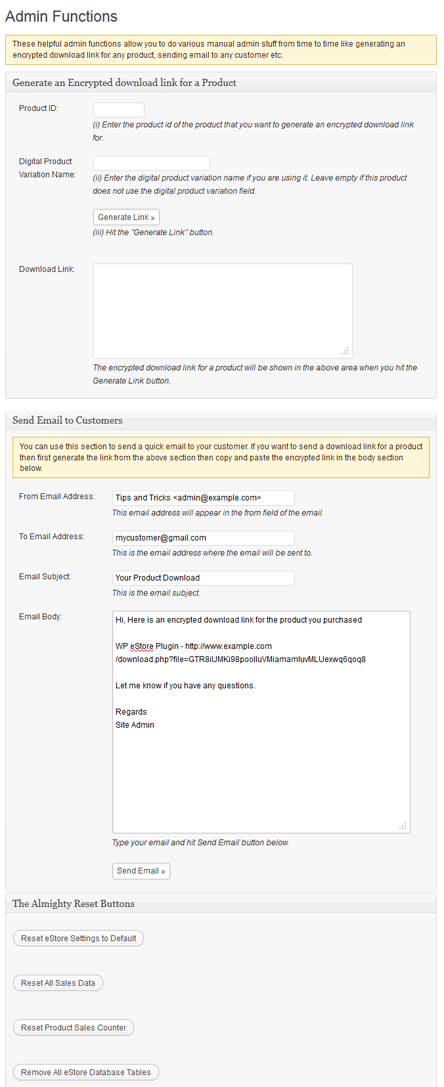
The admin functions menu allows the admin to do various manual admin stuff from time to time like generating an encrypted download link for any product, sending email to any customer etc (for example when a customer accidentally deletes the email with the download link and you want to send him another link manually).
It is also very useful for generating download links for a product and testing the encrypted download system of your site.
If a customer missed the download link for whatever reason, you can always use this interface to generate a new link and send it to the customer.
Note: We provide technical support for our premium plugins via our customer only support forum