The Simple Shopping Cart plugin lets you offer a Store Pickup option, allowing customers to collect their orders directly from your store instead of having them shipped. This is a convenient option for local customers and eliminates shipping charges for eligible orders.
Enabling the Store Pickup Feature
- Go to Simple Shopping Cart ? Settings.
- Open the General Settings tab.
- Scroll to the Shopping Cart Settings section.
- Check the Enable Store Pickup option.
- Save the settings.
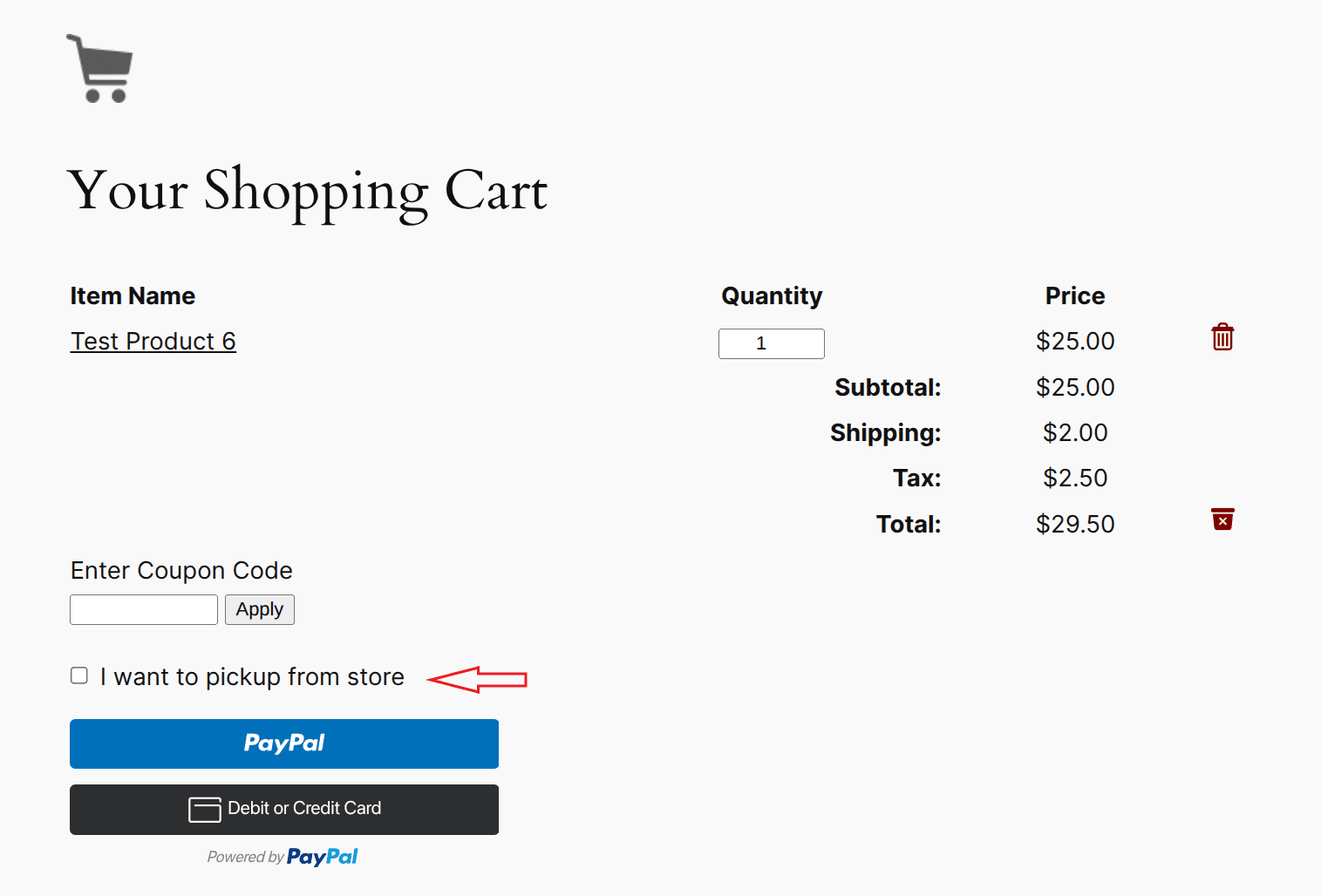
Once enabled, customers will see a Store Pickup checkbox in their shopping cart (see the screenshot below).
How It Works
When a customer selects the Store Pickup option:
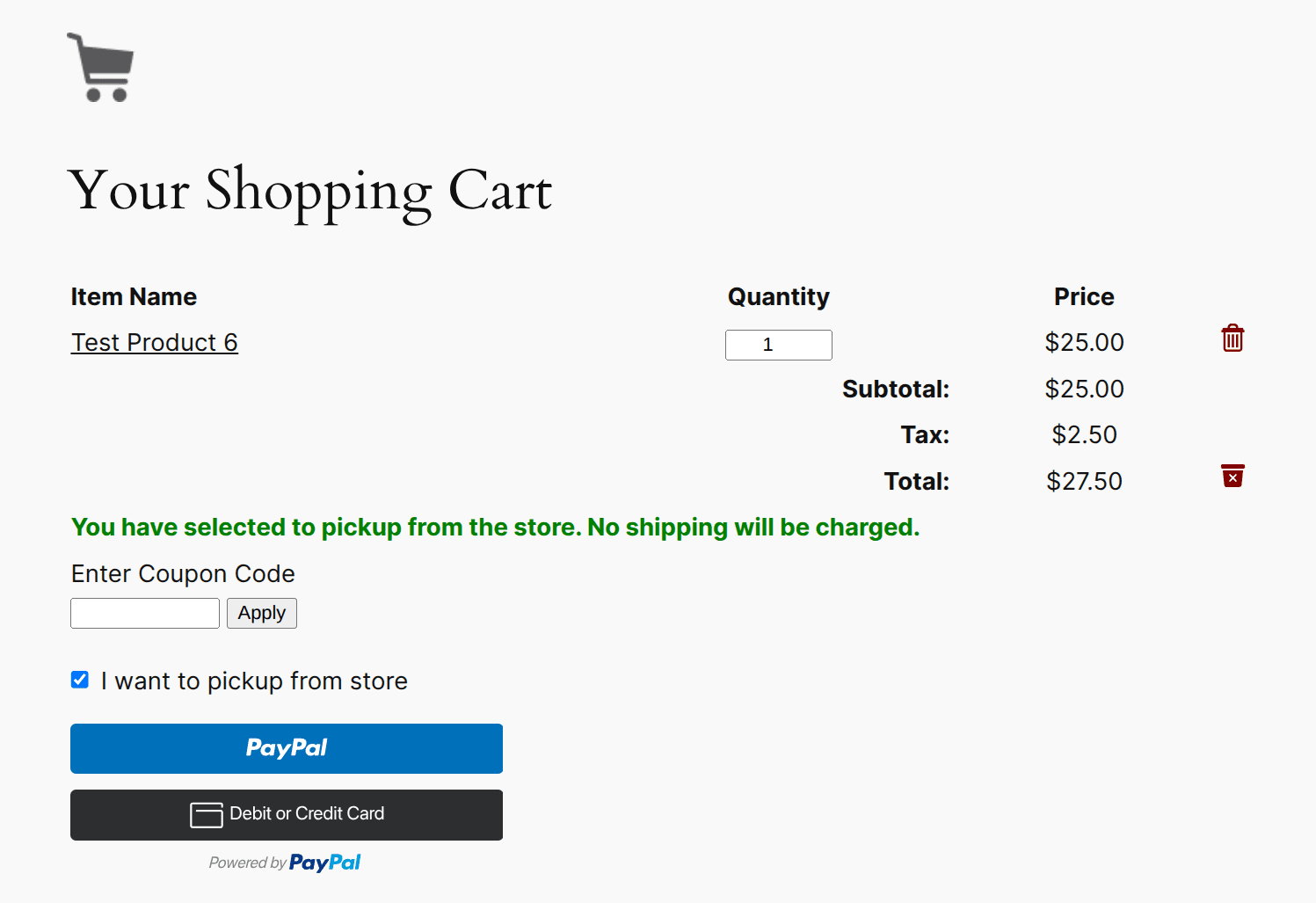
- All shipping charges, including any regional shipping costs, are automatically removed from the order total.
- Shipping address and shipping region information are not collected during checkout.
- The customer pays only for the products (and any applicable taxes or other charges).
Viewing Store Pickup Orders
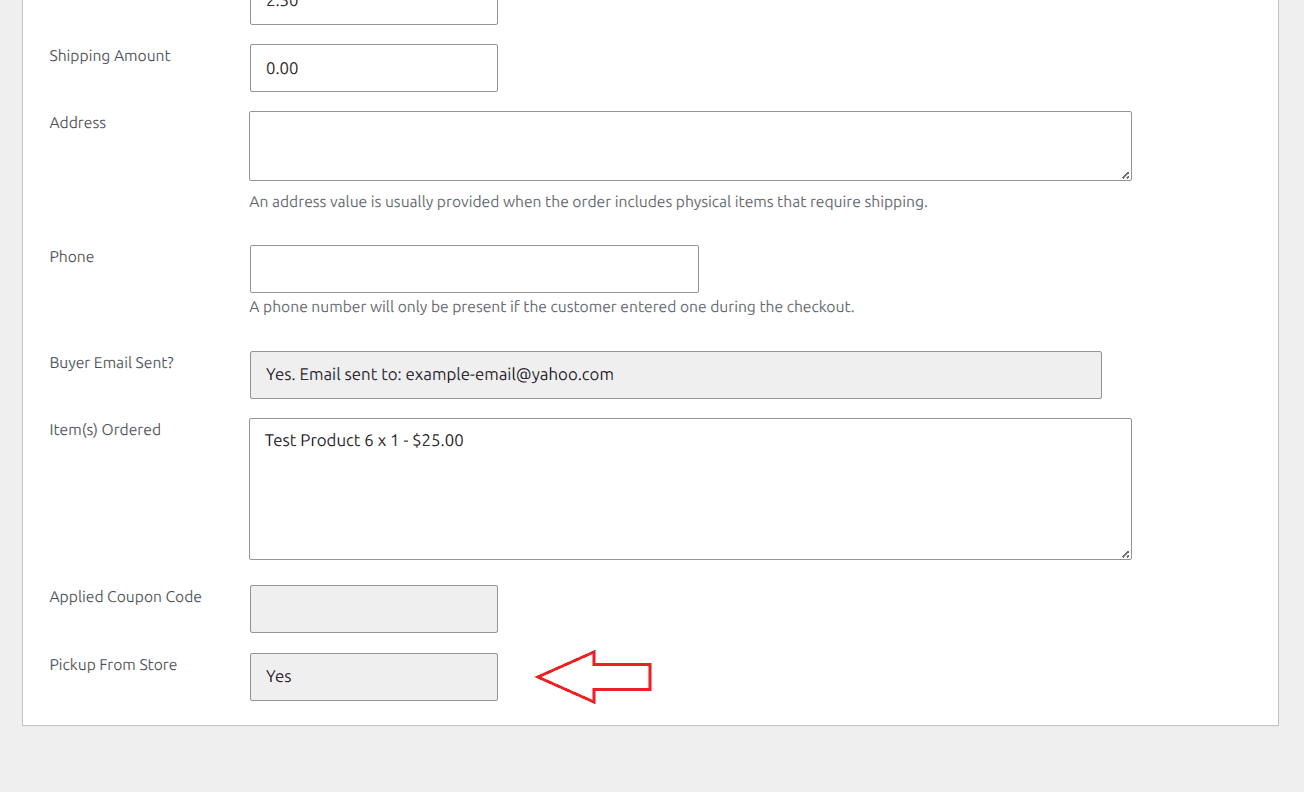
When viewing an order in the admin area, you can easily determine whether the customer selected the Store Pickup option.
If Store Pickup was chosen, the Pickup From Store field on the order details page will be set to Yes.
Note: We provide technical support for our premium plugins via our customer only support forum